Download datasets
Once your application is approved, you'll receive an email with instructions to access the Secure Processing Environment (SPE) where you can securely download and work with your approved datasets.
To access and work with your approved datasets:
-
Check your email for instructions and access links to the Secure Processing Environment (SPE).
-
Follow the instructions provided in the email to securely access the SPE.
-
Download and work with your approved datasets within the SPE.
Stay compliantAll data are protected by governance frameworks and data access policies to ensure ethical and legal use. Remember to use data responsibly and according to the terms and agreements you signed during the application process.
View approved datasets in the portal
You can also view your approved datasets directly in the GDI Portal to see their metadata and details.
To view your approved datasets:
-
Select the folder icon () on your dashboard.
-
Select the Entitlements tab to see the list of your approved datasets.
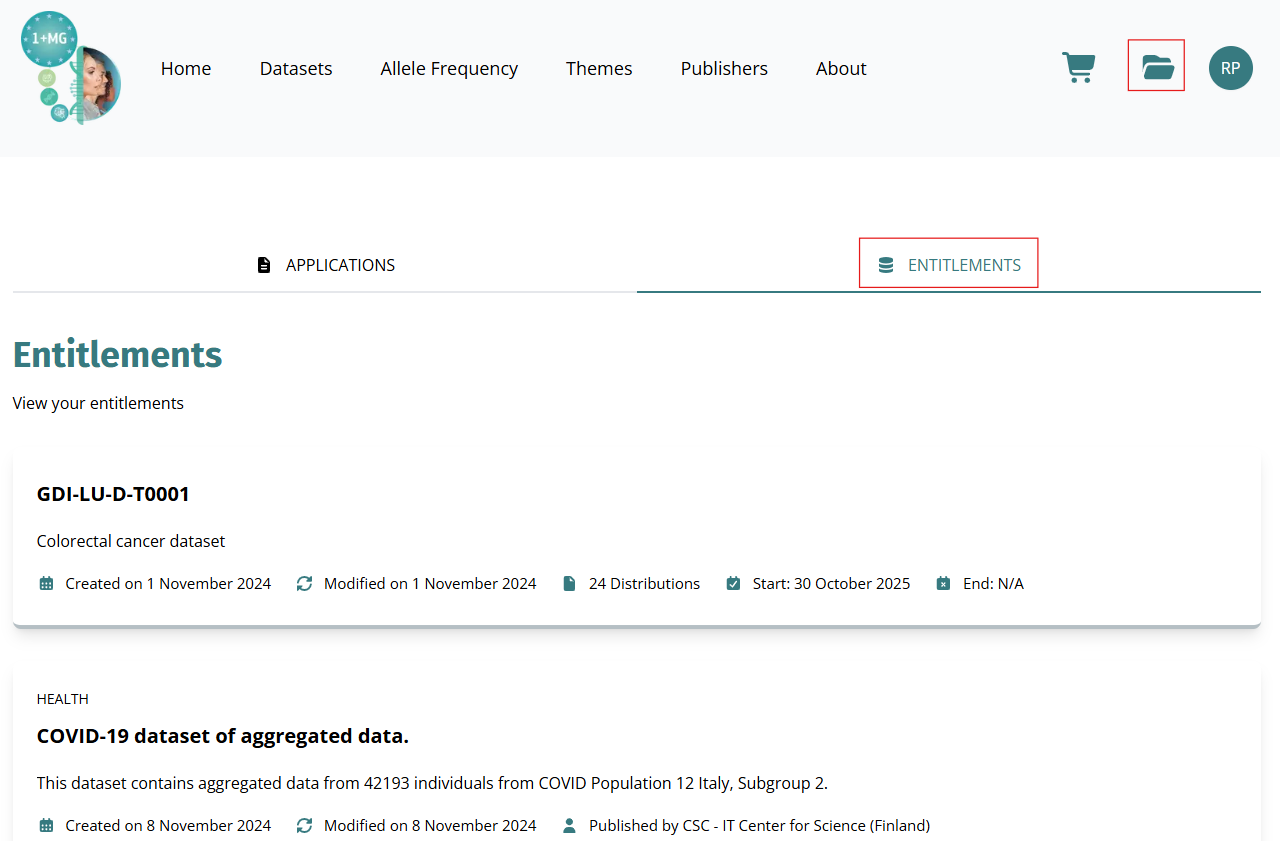
- Select the dataset to view its details. This view only displays the metadata of your approved datasets. To download and work with the datasets, use the Secure Processing Environment (SPE) as instructed in your approval email.