View your entitlements
View your approved applications through the Entitlements section of your dashboard.
What are entitlements?
An entitlement is the GDI Portal's record of your approved dataset access. The Portal creates it from verified access information in your GA4GH Passport when you log in.
For information about how the Portal uses your Passport and Visas, see: Your passport and access.
View your approved datasets
-
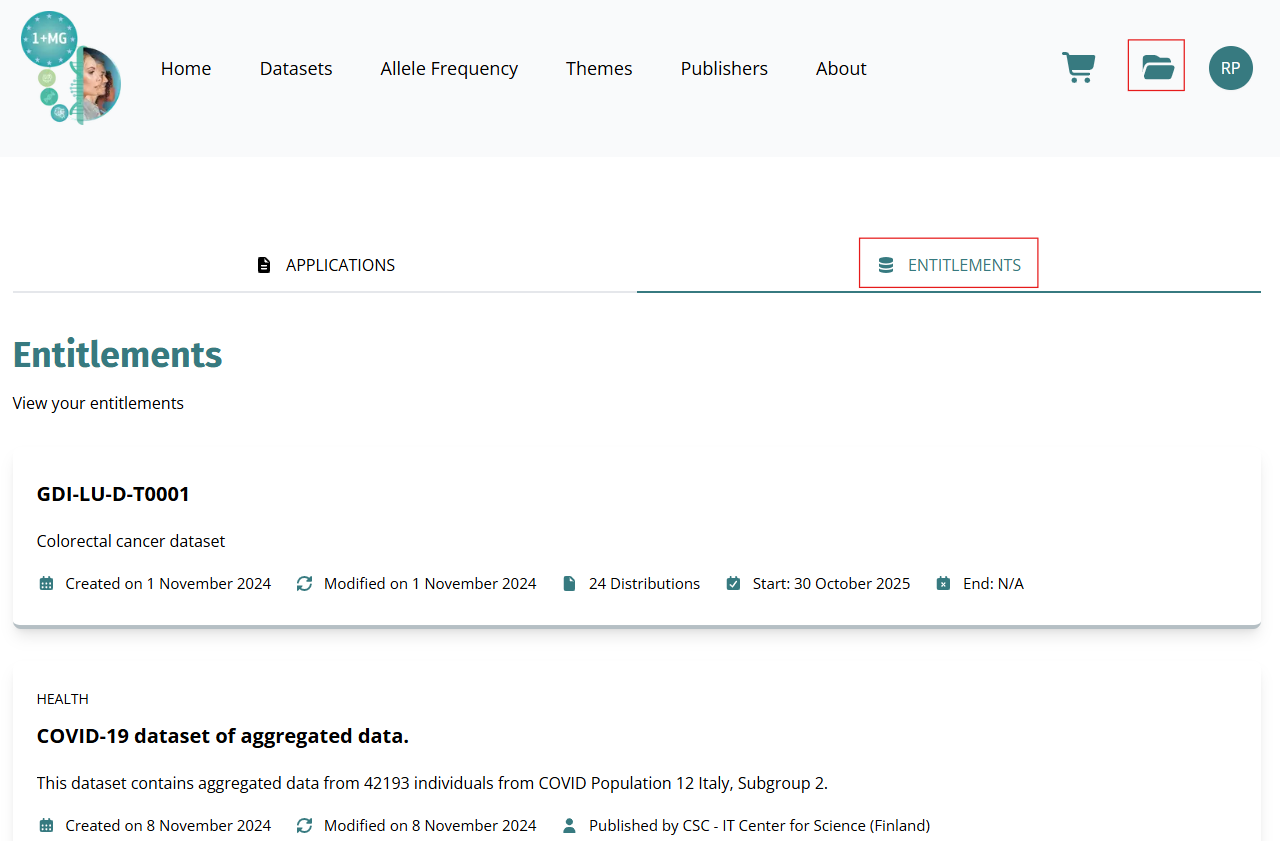
Select the folder icon () on your dashboard.
-
Select the Entitlements tab to see the datasets covered by your current access grants.
-
Each entitlement card shows:
- Dataset name and description
- Access period: Start and end dates of your access grant
- Granted by: The authority that issued your access permission
- Source: The system or institution managing the grant
-
Select a dataset to view its full metadata and details.
What's next?- You will receive an email with instructions on how to access your approved datasets.
- If you cannot view any entitlements, see: Troubleshoot dataset access.