Search and filter datasets
Use the search bar and filters to find datasets relevant to your research. Both search and filters are available on all pages where browsing datasets is possible. This includes the Home page and the Datasets page.
In this guide
Standard search
Filter your results
Individual-level data discovery
Sign in to get comprehensive search results. While you can search datasets without an account, signing in allows you to filter and view more details in the search results, such as record counts and other metadata.
Standard search
On the Home or Datasets page, enter any term or phrase to search across all dataset information, including:
- Disease names, research topics, or data types
- Specific terms like gene names or scientific keywords
- Any other information described in the dataset metadata
Filter your results
Use the filters on the left side of the search results page to narrow down your results. These filters are based on dataset metadata, and signing in gives you access to additional metadata-based filters. Common filters include: Access Rights, Data Types, Themes, Dataset series, and Publishers.
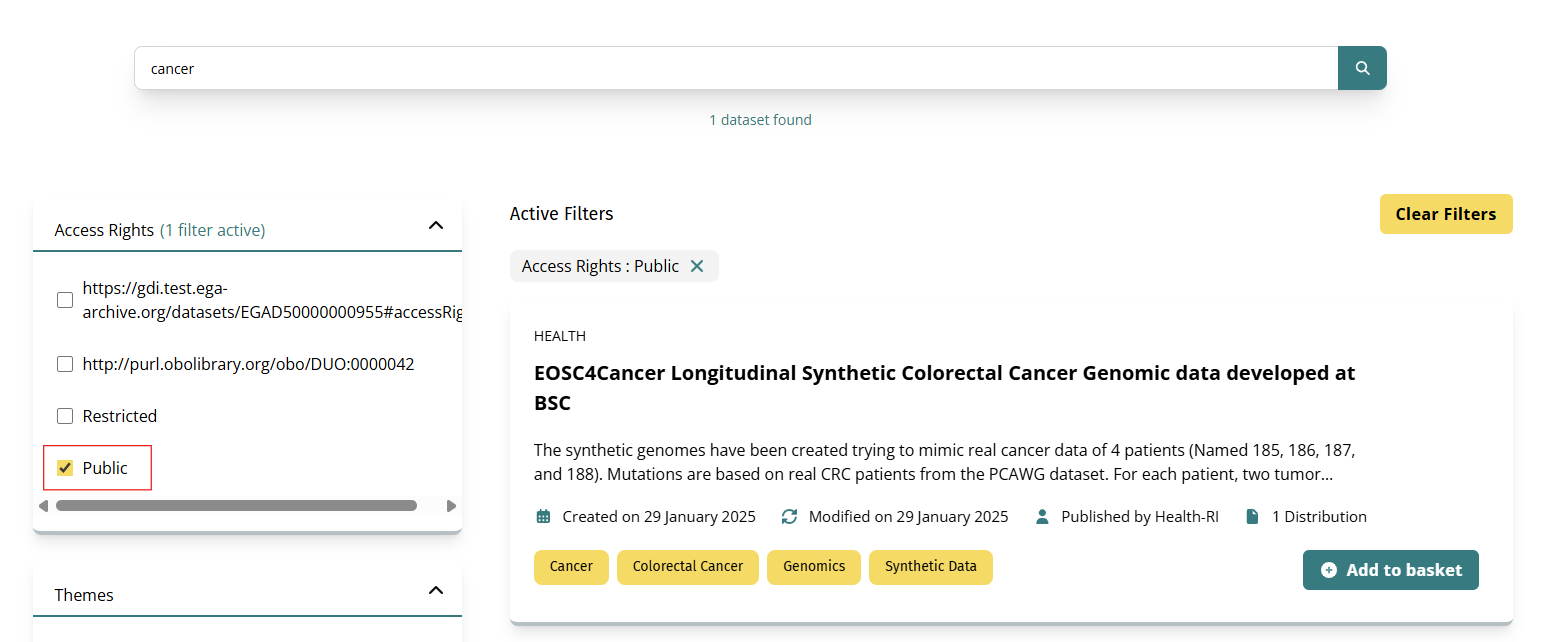
Here's an example of a search result for the word "cancer", with filters applied for Access Rights: Public.
Individual-level data discovery
The Individual-level data discovery feature enables you to search within actual patient-level data and see detailed record counts for each dataset. This advanced search queries actual data records to provide more granular information about dataset contents.
By default, standard searches use catalog metadata only. When you enable individual-level data discovery, the platform searches the actual data records within datasets, allowing you to:
- View record counts: See the exact number of records and unique individuals in each dataset
- Filter by patient-level characteristics: Access additional filters for individual-level data such as:
- Sex/gender
- Country of birth
- Genomic variants and allele frequencies
- Population-specific characteristics
- Make informed decisions: Understand dataset contents before requesting access
- You must sign in to access individual-level data discovery.
- Searches may be slower when individual-level data discovery is enabled, as the system queries actual data records across multiple sources.
To search with individual-level data discovery:
- Sign in to your account
- Navigate to the Datasets page
- Locate the Include Individual-level data discovery toggle at the top of the search results
- Enable the toggle to activate patient-level data searching

Understanding the results
When Individual-level data discovery is active, you'll see:
- Record counts: The total number of data records in each dataset
- Individual counts: The number of unique individuals represented
- Individual-level data discovery filters: Additional filters appear in the left sidebar for refining by individual-level data characteristics
- Active indicator: An "Active" badge appears next to the toggle showing the feature is enabled
Individual-level data discovery filters
When Individual-level data discovery is enabled, additional filters become available in the left sidebar under Individual-level data discovery Filters:
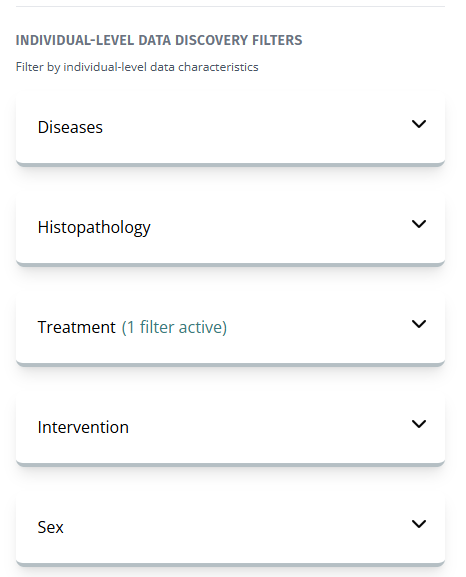
These filters allow you to refine your search by individual-level data characteristics, helping you identify datasets that contain the exact populations or data types relevant to your research.