Continue an application
Continue working on applications that you or other collaborators have started earlier. All incomplete applications are saved as draft.
To continue a draft application:
-
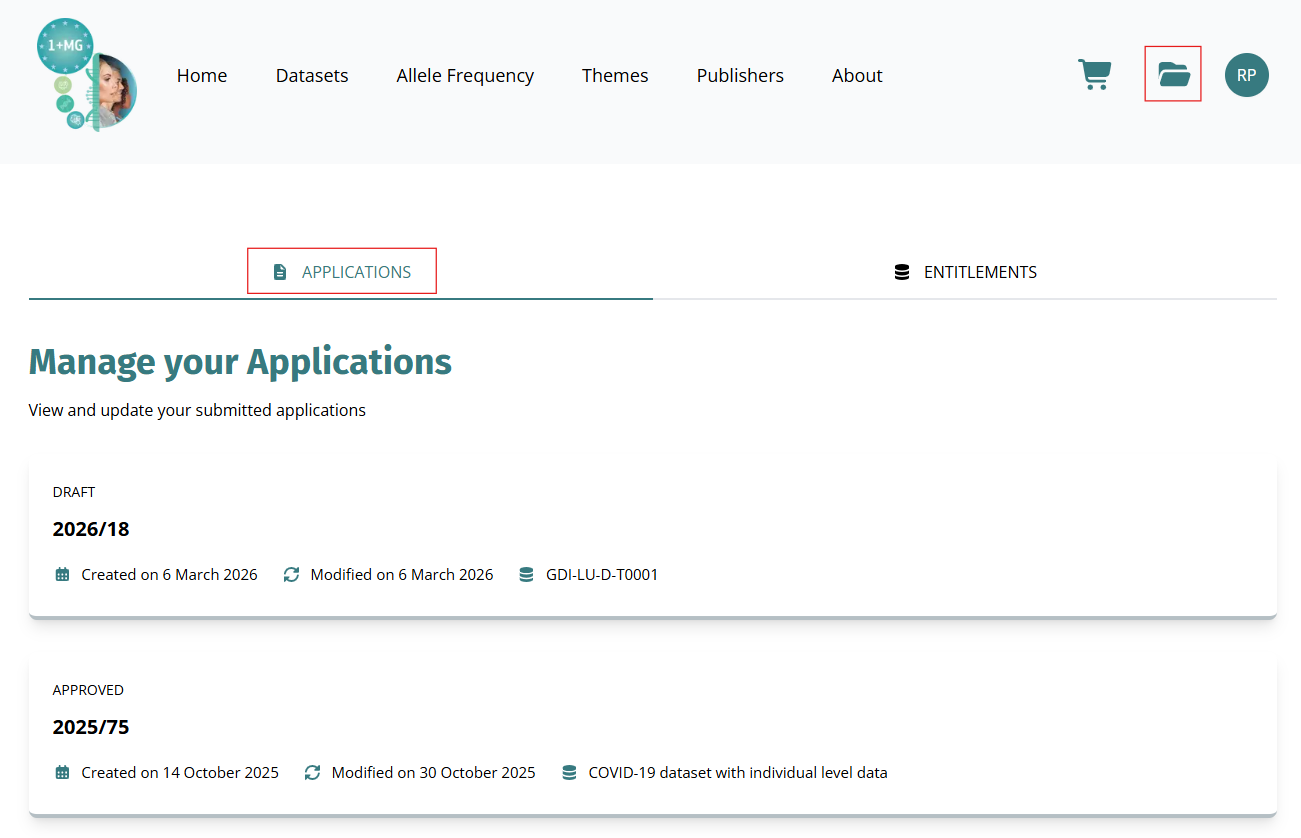
Select the folder icon () on your dashboard.
-
Select the APPLICATIONS tab. The page lists applications, indicating their status. In this example, you have one
SUBMITTEDapplication and oneDRAFTapplication:
-
Select the draft application you want to complete.
-
Complete the application form by providing all required information or uploading necessary documentation.
-
Review the Terms & Conditions and select Accept All to agree to the terms.
-
Select Submit to submit your completed application. You will receive a confirmation email and be notified of status updates. Or to save and continue later, simply navigate away from the page. The system saves your last completed input.