Track your application
After submitting your application, track its progress and check for any status updates or additional requirements from the Data Access Committee.
To track your application:
-
Select the folder icon () on your dashboard.
-
Select the APPLICATIONS tab. The page displays all your applications with their current status, sorted by last modified date:
In this example, there is one
SUBMITTEDapplication and oneDRAFTapplication: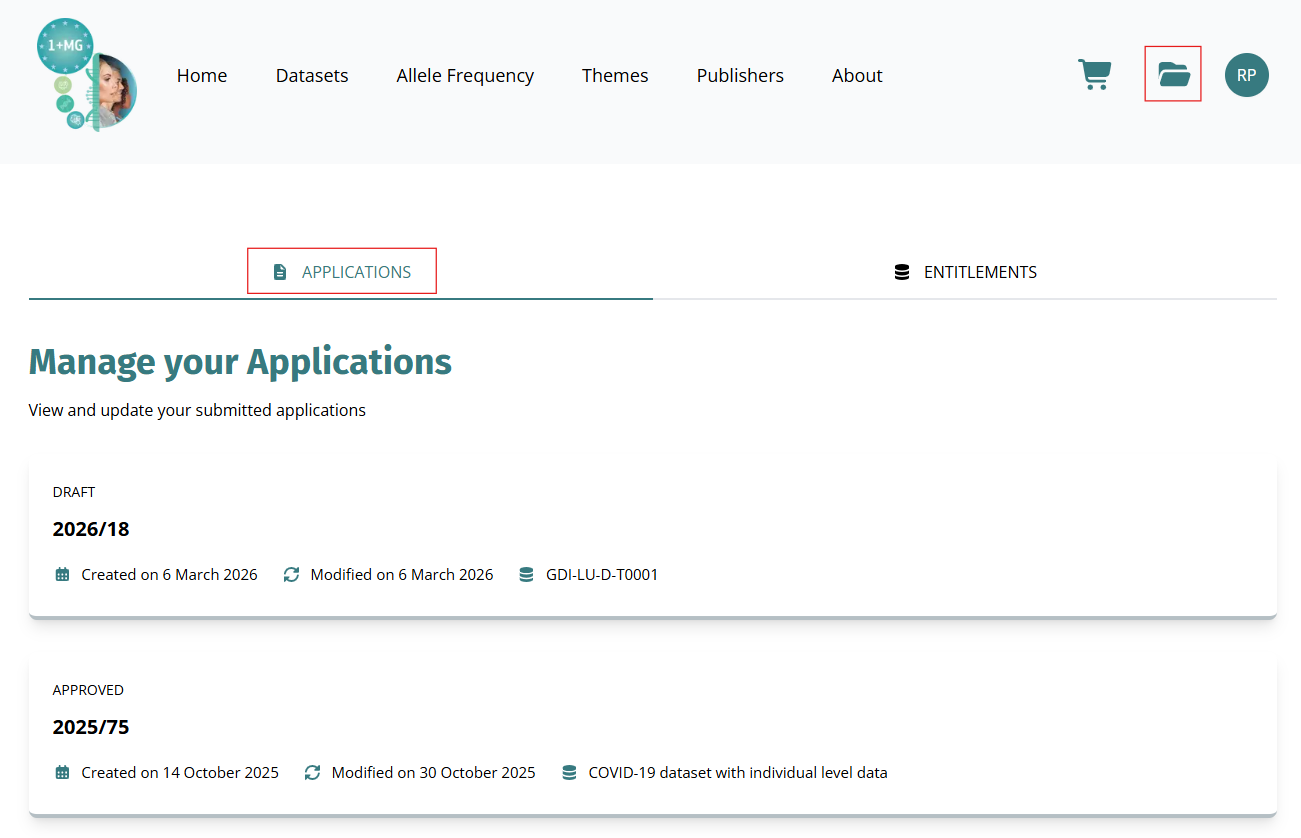
-
Review your application status. Applications can have the following statuses:
- DRAFT: Application is incomplete and has not been submitted yet. Continue the application.
- SUBMITTED: Application is under review by the Data Access Committee.
- RETURNED: Application requires additional information or documents. View the feedback and continue the application.
- APPROVED: Application has been approved and you can access the datasets. Download the datasets.
- REJECTED: Application has been declined. Select the application to view feedback. To resubmit, create a new application.
- CLOSED: Application is closed and no further action is required. Open the application to view details.