Apply for access to datasets
Access datasets you find in the GDI Portal. Depending on the dataset type, you can either submit an application through the portal for GDI datasets, or be redirected to external sources for externally governed datasets.
To apply for access to datasets:
-
Browse or search for datasets you want to access.
-
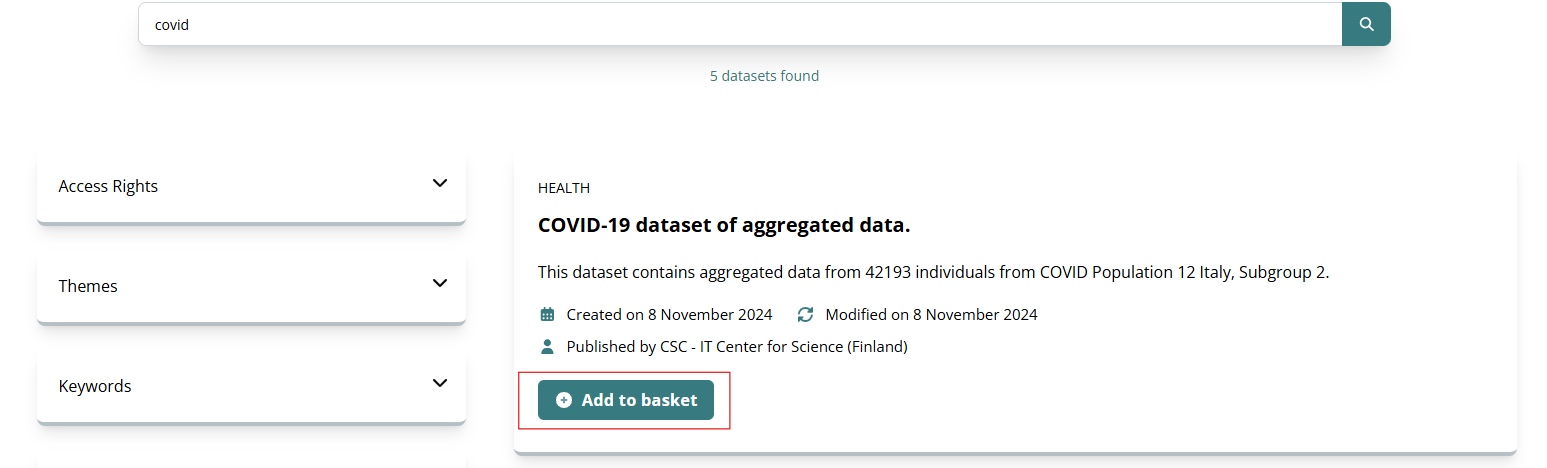
Select Add to basket on each dataset you want to access.
You can add datasets directly from the search results:
Or you can add the dataset from the dataset details page:
 External datasets
Some datasets may be managed by an external organisation. These datasets have an
Externally governedlabel and cannot be added to the basket. To request access, select Access External Dataset and follow the link to the external source.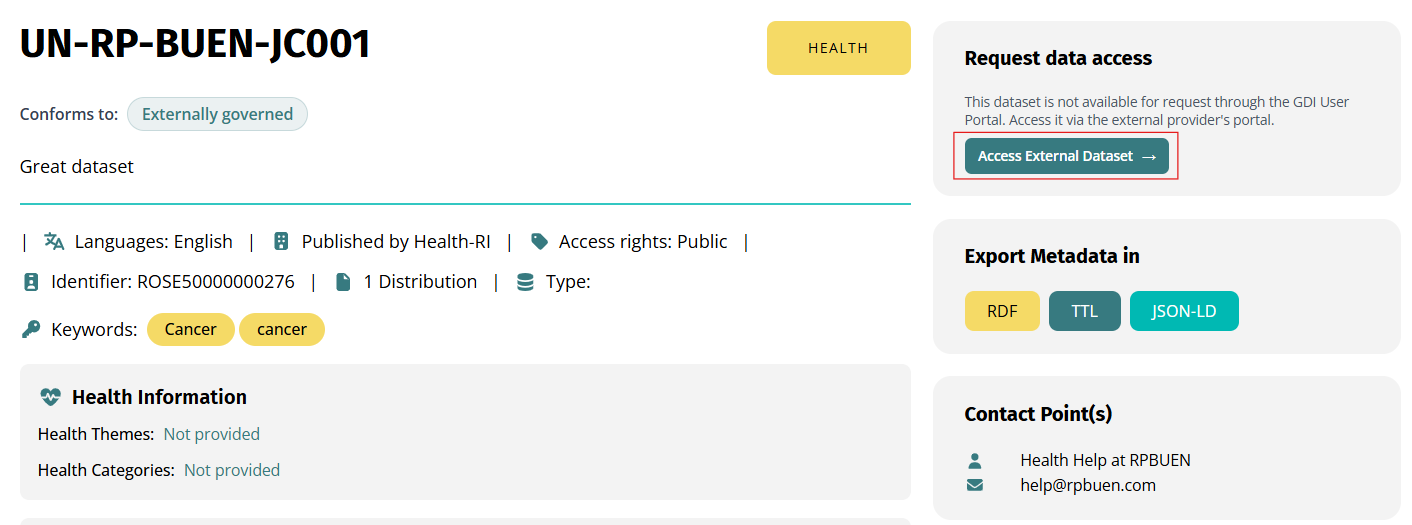
-
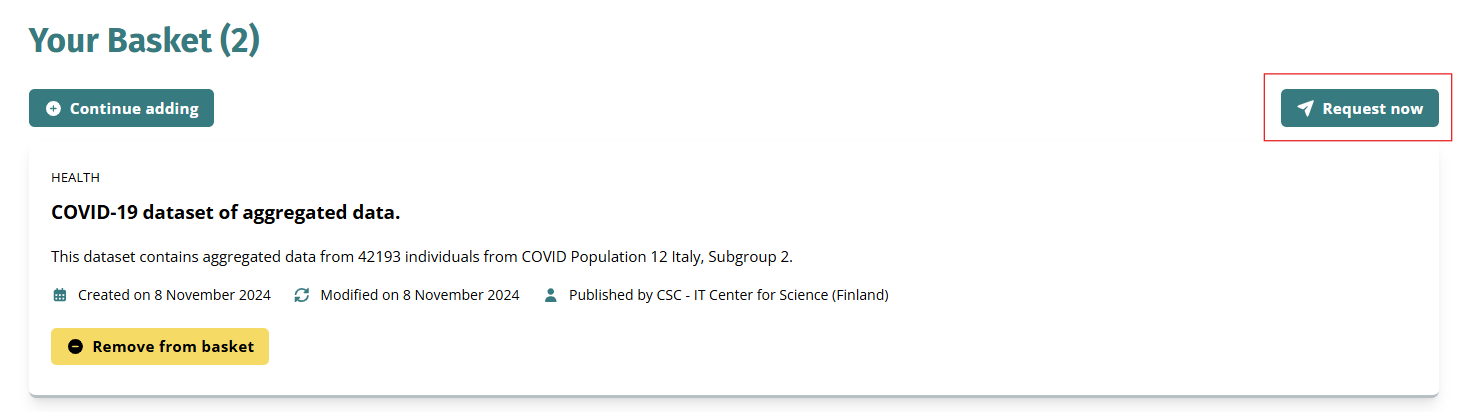
When you're ready to check out, select the Basket icon (). The Basket page opens with the list of datasets you selected.
- Review your list of datasets and select Request now to create an application. The application form opens.
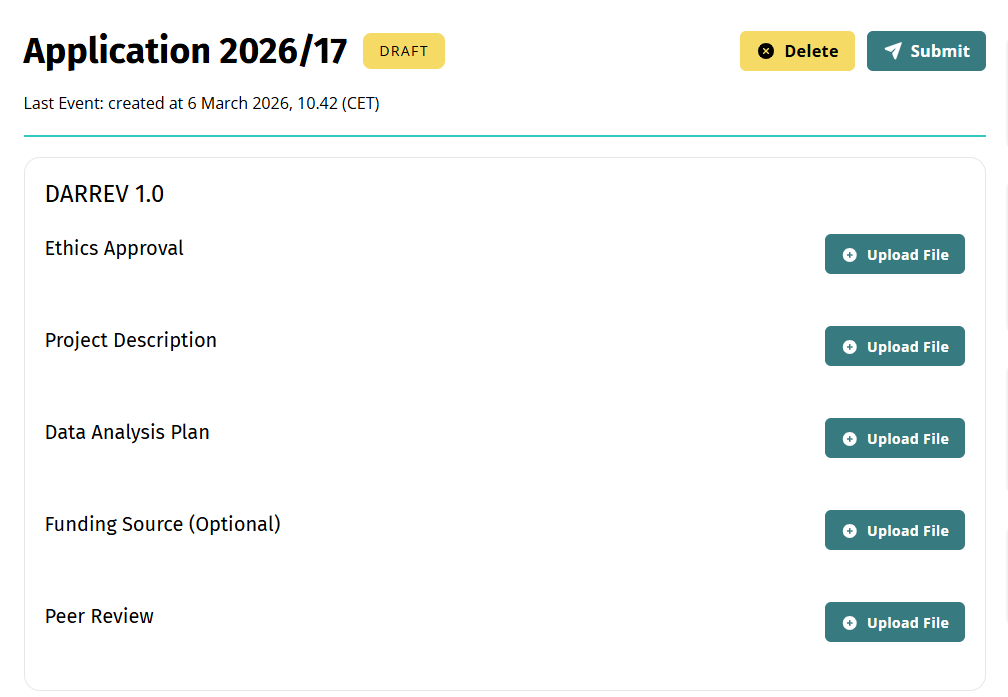
- Submit the requirements to access the dataset. This can include filling out forms and uploading documents, depending on the dataset. Here's an example of requirements including document uploads:
-
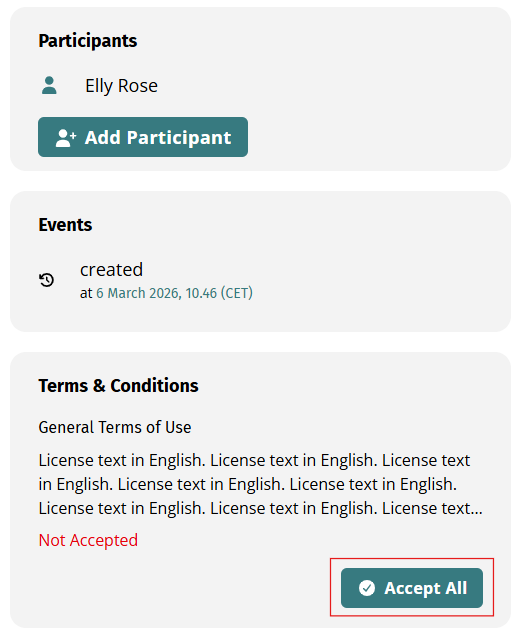
(Optional) Need help with your application? Select Add Participant for collaborators to access your application, submit requirements, and continue your application. For a detailed guide, see: Add participants.
-
Review the Terms & Conditions and select Accept All to agree to the terms.
-
Select Submit to complete your application. You will receive email notifications for status updates and if additional documentation is required.
Continue laterIf you need more time, you can close or navigate away from the application page. The system automatically saves your progress as draft, and you or your collaborators can continue later.